Download and save your TikTok videos as MP4
Free online TikTok converter: paste any TikTok video URL and download it as MP4 in one click. Preview the video with its stats before downloading — no signup.
Download your video
Analyse this video in depth
Our AI analyses any TikTok video and gives you a complete diagnosis: hook, retention, engagement, and personalised recommendations.
AI Video AnalysisWhy use our TikTok Video Downloader?
Instant download
Paste the URL, preview the video, download as MP4 — all in 10 seconds.
No watermark
Clean MP4 without the TikTok watermark — ready for editing or archiving.
HD quality
1080p vertical MP4 with original audio, suitable for any editing software.
100% free, no signup
Unlimited downloads, no account required, no daily caps.





Related features
Why use a free TikTok video downloader?
Downloading TikTok videos in MP4 format has become daily-driver workflow for any serious creator : backing up your own content before the algorithm buries it, archiving reference videos from your niche that are blowing up, or saving inspiration to edit offline in CapCut later. The Vervox TikTok downloader pulls videos in HD without watermark, in clean MP4 format — compatible with any editing software (DaVinci Resolve, Premiere, CapCut, Final Cut), any device, and any cloud service you use to organise your reference library.
The Vervox TikTok downloader: no signup, no watermark, no limits
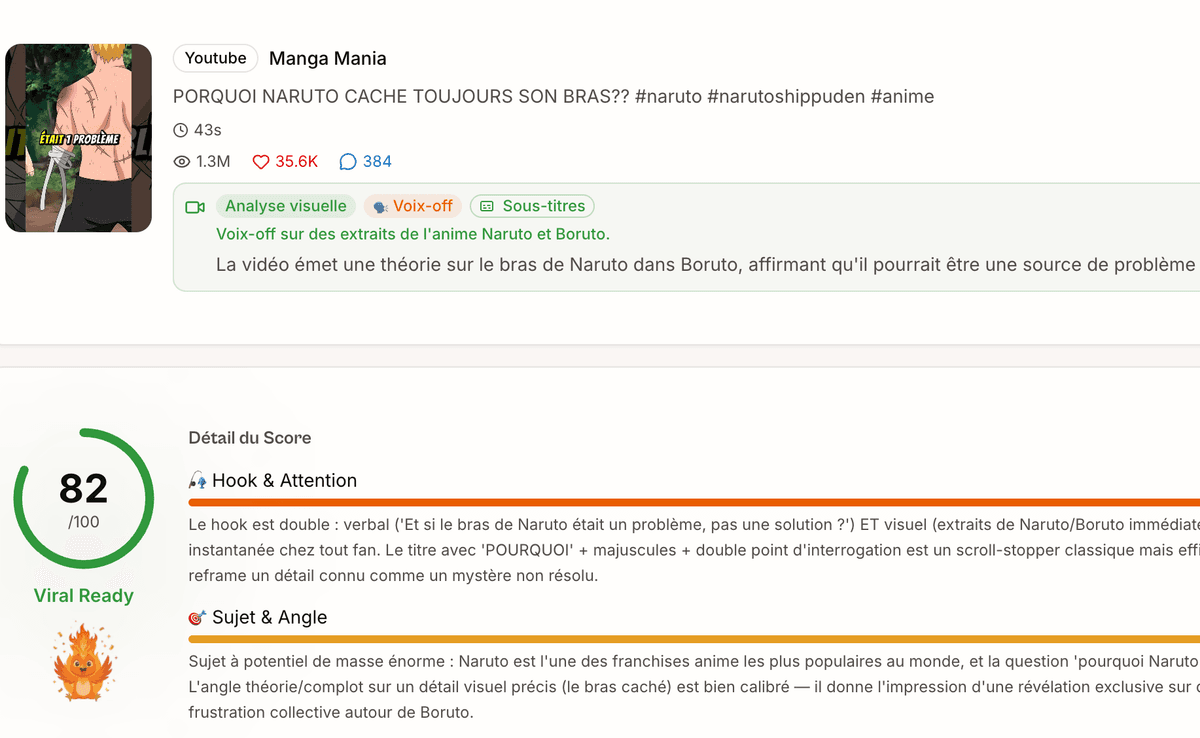
Unlike most online TikTok downloaders that crowbar in their own watermark, lock you into creating an account, or cap you at a handful of downloads per day, the Vervox downloader is 100% free and unlimited. Paste the URL, preview the video with its full metadata (author, view count, duration, likes, comments), and download the MP4 in HD quality right away. No registration, no invasive ads, no hidden fees — just the clean MP4, ready to edit or repost to another platform. It's the fastest way to save a TikTok video to your device without jumping through hoops.
How to download a TikTok video on iPhone, Android and PC
The Vervox downloader is a web app — it works the same on every OS, no app store install required. **On iPhone (iOS) :** open Safari, tap the Share icon at the bottom of TikTok, copy the link, paste it in Vervox, tap Download. The MP4 saves to the Photos app via the Share sheet. **On Android :** open Chrome, tap the three dots → Share → Copy link from TikTok, paste it in Vervox, tap Download. The file lands in the Downloads folder or your gallery, depending on your Android build. **On desktop / PC / Mac :** right-click the TikTok video, copy link, paste it in Vervox, click Download — the MP4 saves to your default Downloads directory. Works on any browser (Chrome, Safari, Firefox, Edge) and any TikTok video that is public, even when the creator has disabled the TikTok app's native Save option (an increasingly common restriction in 2026).
Downloading TikTok videos in 2026: what changed
Three TikTok policy shifts in 2025-2026 made third-party downloaders more relevant than ever. First : TikTok tightened the native download flow — videos from creators on Business accounts, or with the "limit sharing" toggle on, can no longer be saved through the in-app button. Second : the watermark TikTok burns into natively-saved videos became more aggressive in 2026 (now covers ~30% of the frame vs ~10% before) — making the saved MP4 unusable for cross-posting to Reels or YouTube Shorts. Third : the TikTok For You algorithm now flags reposted content with TikTok watermark within hours of upload and suppresses its distribution — so downloading without watermark is no longer optional for serious cross-posters. The Vervox downloader sidesteps all three : works on any public video regardless of creator settings, outputs clean MP4 without watermark, and preserves the original HD quality without re-compression.
Vervox vs ssstik / snaptik / other TikTok downloaders in 2026
Three options dominate the TikTok downloader space : ssstik, snaptik, and Vervox. **ssstik** : popular but plasters the page with aggressive interstitial ads and occasionally inserts its own watermark onto the MP4. **snaptik** : cleaner UI than ssstik, but enforces a soft daily cap (~10 videos/day per IP) and aggressively redirects you to install their mobile app. **Vervox** : no invasive ads, no daily cap, no forced signup — plus the bonus that it's part of a full creator suite (TikTok transcript generator, hashtag generator, engagement calculator, bio generator, shadowban detector). For serious 2026 creators, having every tool in one tab beats juggling five different sites to ship a single video.
Personal use only — respect creators
This tool is strictly for personal use (backup, offline viewing, educational reference, inspiration for your own original content). Any redistribution, republication or commercial exploitation of downloaded content without the original creator's permission is prohibited and is the user's sole responsibility. Always credit creators if you reference their content in your own work — it's the minimum the community expects, and it sustains the creative culture that makes TikTok worth being on in the first place.
How do I download a TikTok video as MP4?
With the Vervox TikTok downloader, it's three steps: copy the TikTok video URL (tap Share → Copy link), paste it into the input field above, click 'Fetch the video'. You'll see a preview with metadata, then click 'Download the MP4' to save the video to your device. The whole process takes about 10 seconds.
Is the TikTok video download free?
Yes, 100% free and unlimited. No signup, no account creation, no daily limits. Vervox doesn't add any watermark on the downloaded video — it's delivered as pure MP4 in HD quality.
Can I download any TikTok video?
You can download any public TikTok video. Private videos or videos from private accounts are not accessible via the API. If the download fails, check that the video is public by opening its URL in a browser in incognito mode.
Is there a watermark on the downloaded video?
No, the Vervox downloader delivers the video in clean MP4 without the TikTok watermark. Unlike most online tools that add their own watermark, you get the pure video ready for editing or archiving.
Is it legal to download TikTok videos?
Yes, downloading for personal use (backup, offline viewing, educational reference) is legal under fair use principles. However, redistributing, republishing or commercially exploiting downloaded content without the original creator's permission is prohibited. Always credit creators if you reference their content.
Why is the video quality HD?
Vervox fetches the highest-quality version of the video available from TikTok's API. The resulting MP4 is typically 1080p vertical (1080×1920) with the original audio track, suitable for any editing software or cloud backup.
How do I save a TikTok video on iPhone or Android?
On both iPhone and Android, open the Vervox downloader directly in your browser (Safari or Chrome) — no app required. Paste the TikTok URL, tap 'Fetch the video' and then 'Download the MP4'. On iOS the file saves to the Photos app via the Share sheet; on Android it lands in the Downloads folder. This works even if the TikTok app's native save is disabled by the creator.
What is the best TikTok downloader without watermark in 2026?
The best TikTok downloaders meet three criteria: no ads, no watermark on the output, and HD MP4 quality. Vervox checks all three for free without signup. Unlike single-purpose tools like ssstik or snaptik, Vervox is part of a complete creator suite (downloader + transcript + hashtag generator + analytics), so you don't have to bounce between five different sites to ship a video.
Why can't I save a TikTok video on my phone?
Three common reasons: 1) your TikTok account is private or you are under 16 — TikTok disables native download by default. 2) The creator has blocked downloads in the video settings. 3) You're using the TikTok app itself, which always burns in a watermark. Solution: use the Vervox downloader from your phone's browser — it works on any public video regardless of in-app restrictions and outputs a watermark-free MP4.